


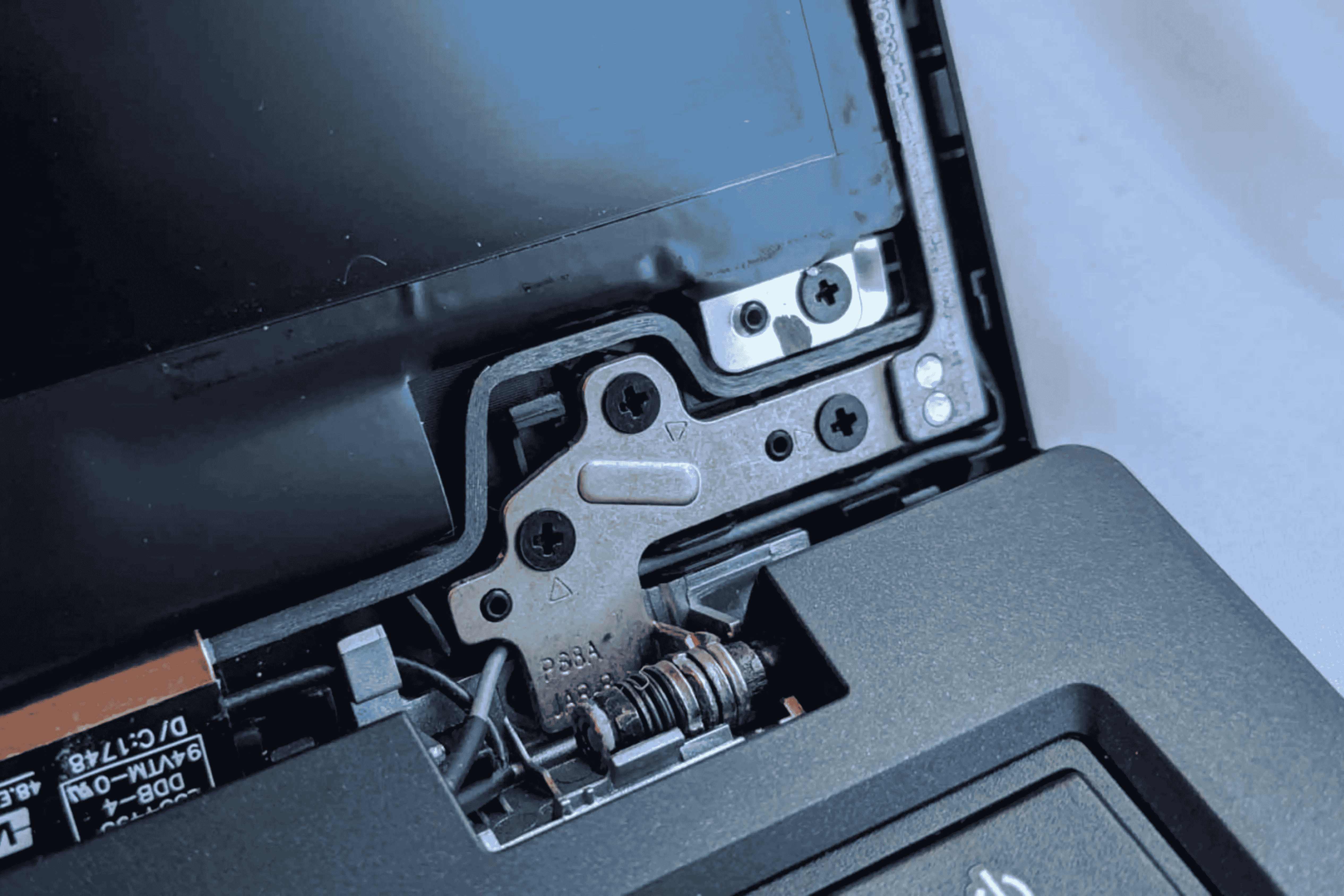
A laptop may look sleek on the outside, but one of its smallest components often decides how long it truly lasts—the hinge. If your screen feels loose, makes a cracking sound, or refuses to stay at the right angle, you’re not alone. Laptop hinge problems are extremely common, especially in devices that are opened and closed multiple times a day. That’s where laptop hinge replacement becomes important. Understanding when and why you should get it done can save you money, protect your display, and extend your device’s life.
In this blog, we break down everything you need to know, in simple terms, so you can decide the right time for a repair.
What Exactly Is a Laptop Hinge and Why It Matters
Laptop hinges are the small mechanical joints that connect your screen to the main body. They let you open and close your laptop smoothly.
But their job doesn’t stop there:
- They hold your display at the angle you want
- They protect delicate internal cables running from the motherboard to the screen
- They provide structural stability
- They help reduce stress on the frame and body
Most users don’t think about hinges until something goes wrong. However, these components are essential for both functionality and safety.
Signs You Need a Laptop Hinge Replacement
Knowing the early warning signs can help you act before the damage spreads to your display or internal cables.
1. Cracking Sounds While Opening the Lid
If you hear grinding or cracking noises, the hinge mechanism may be worn out or misaligned.
2. The Screen Feels Loose or Wobbly
A loose display is a clear signal that the hinge is no longer holding the screen securely.
3. Difficulty Opening or Closing the Laptop
If the hinge feels stiff or too tight, it might be damaged or jammed.
4. Visible Damage or Gaps Around the Bezel
Cracks near the hinges or gaps in the casing indicate external stress and structural failure.
5. Display Flickering While Moving the Screen
This means internal display cables may be getting pinched due to hinge pressure — an urgent repair is needed.
Why Laptop Hinge Replacement Is Important (Not Optional)
A broken hinge is more than just a minor inconvenience.
Experts point out three major risks of ignoring hinge issues:
1. It Can Damage the Display
As hinges tighten or misalign, they put pressure on screen brackets. Over time, this can crack the display panel making the repair far more expensive.
2. It Can Break the Laptop Body
A failing hinge often leads to damage around the frame, lid, or bottom panel. This structural damage can quickly turn into a messy, costly repair.
3. It Can Affect Essential Cables
Laptop hinges protect critical wires like:
- Display cables
- WiFi antenna cables
- Webcam cables
If these cables snap due to hinge pressure, you may face issues like a blank screen or non-working camera.
When Should You Get a Laptop Hinge Replacement?
Most technicians agree to get your hinge checked as soon as you notice the first sign of trouble. But here is a clearer breakdown:
Get it done immediately if:
- You hear loud cracking noises
- The screen becomes unstable
- The body starts separating near the hinges
- The laptop lid doesn’t close properly
Within a week if:
- The hinge feels slightly stiff but still functional
- You notice a minor gap developing near the frame
During your next service if:
- The hinge works fine but shows early wear and tear
- You use your laptop heavily and want preventive maintenance
A quick inspection can prevent bigger problems and bigger repair bills.
How Laptop Hinge Replacement Works (Simple Breakdown)
Here is a simple overview of what technicians typically do:
Step 1: Diagnostic Check
They check whether the hinge is broken, misaligned, or loose.
Step 2: Disassembly
- The bottom cover is removed
- Screws around the hinge area are opened
- Internal cables are safely unplugged
Step 3: Replacement of Hinges
New hinges are installed and aligned to manufacturer standards.
Step 4: Structural Reinforcement
If needed, technicians may repair or replace:
- Metal brackets
- Plastic casing
- Screw mounts
Step 5: Reassembly and Testing
They reassemble the device and test for:
- Smooth movement
- No display flicker
- Proper alignment
- No cracking sounds
The entire process usually takes 30 to 90 minutes.
Is Laptop Hinge Replacement Expensive?
The cost depends on:
- Brand and model (HP, Dell, Lenovo, MacBook, etc.)
- Availability of original parts
- Extent of frame damage
- Labour charges
Still, hinge replacement is almost always cheaper than repairing a broken display or replacing the laptop lid.
FAQ About Laptop Hinge Replacement
- 1. Can I use my laptop with a broken hinge?
- You can, but it’s risky. The damage may spread to the display or cables.
- 2. How long does a hinge replacement take?
- Most repairs take about 1 hour.
- 3. Is hinge repair covered under warranty?
- Usually not, as manufacturers consider hinge damage physical damage.
- 4. Can I fix laptop hinges at home?
- DIY repair is not recommended unless you understand laptop hardware.
- 5. What causes hinges to break?
- Common reasons include rough usage, manufacturing defects, or pressure on the screen.
Conclusion
A hinge may look like a small part, but it plays a huge role in how long your laptop lasts. Addressing early signs of damage can prevent expensive repairs and protect essential components. If you notice stiffness, cracks, noises, or a loose screen, it’s time to consider a laptop hinge replacement. Getting it repaired by a professional ensures your device stays reliable, safe, and fully functional just the way it should be.
For users who want a trusted, expert-led repair experience, GoFix is a dependable choice. Their certified technicians specialise in fast, high-quality laptop hinge replacements, ensuring your device feels as smooth and stable as new without unnecessary delays or overcharging. When it comes to keeping your laptop in top condition, GoFix makes the entire process simple, transparent, and reliable.