


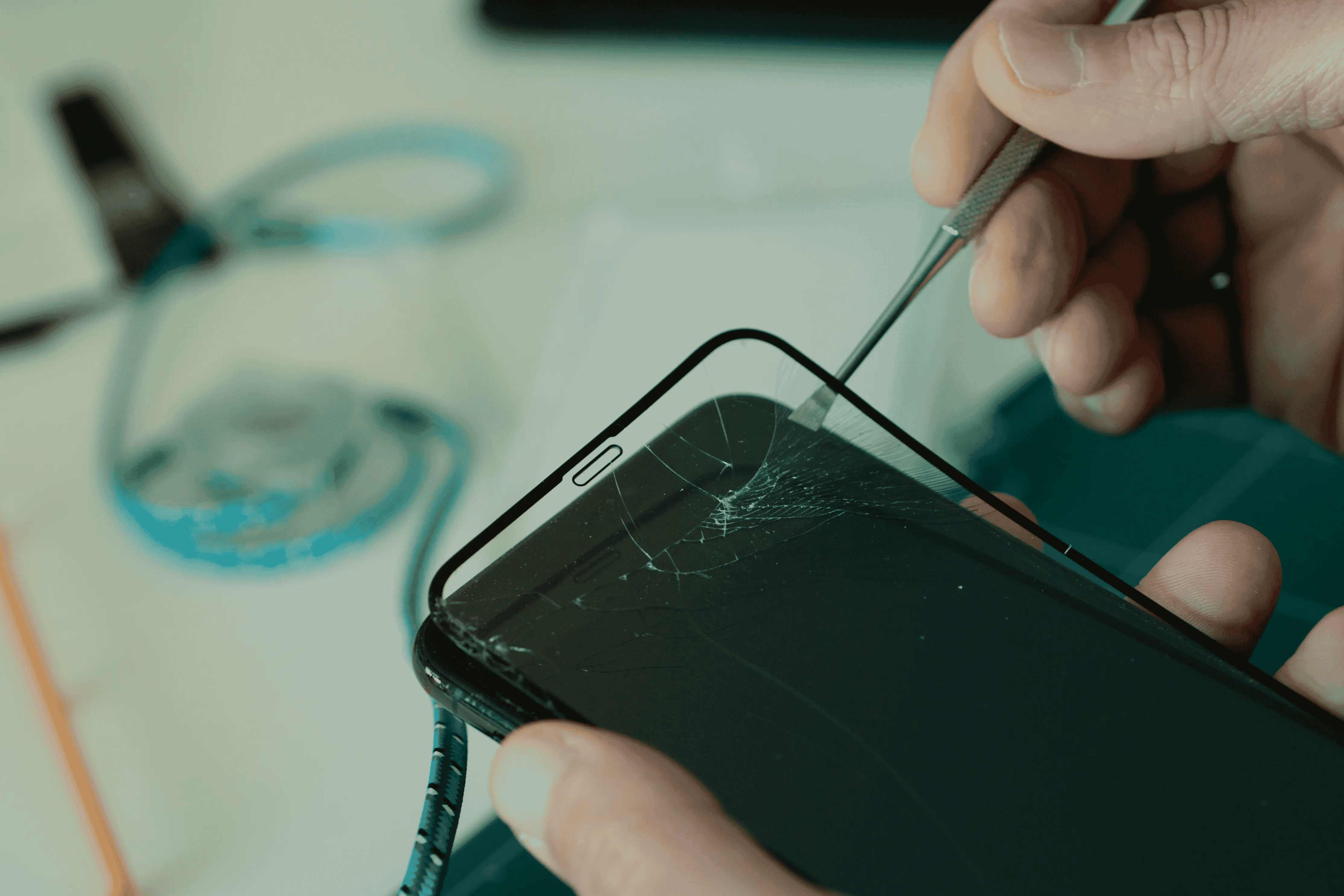
A cracked screen is one of the most frustrating things that can happen to a smartphone user. Whether it slips from your hand or takes a hit in your bag, getting it replaced feels like the right move — and it usually is. However, many users unknowingly make screen replacement mistakes that can lead to more trouble down the line.
From mishandling the new screen to ignoring essential post-replacement care, these errors can shorten the lifespan of your phone or even void your warranty. In this guide, we’ll break down the five most common mistakes people make after a mobile screen replacement, and how you can avoid them to keep your device in top shape for longer.
1. Ignoring Screen Calibration After Replacement
Once your mobile screen is replaced, the new display needs proper calibration to function smoothly. Many users skip this step, assuming that once the new screen lights up, everything is fine — but that’s not always the case.
Uncalibrated screens may show issues like:
- Touch lag — the screen doesn’t respond instantly to your touch.
- Inaccurate color display — whites may look yellowish or bluish.
- Uneven brightness — some areas appear dimmer than others.
How to Fix It
After getting a screen replacement, always perform a touch calibration test. You can do this through your phone’s settings or by using calibration apps available on both Android and iOS. This ensures your screen responds accurately, preventing performance issues later.
2. Using Low-Quality Screen Protectors
Many people rush to apply a new screen protector immediately after replacement — which is good practice. The mistake lies in using cheap, low-quality protectors.
Low-grade protectors can:
- Interfere with touch sensitivity
- Create air bubbles or peeling edges
- Reduce the clarity of your new screen
What You Should Do Instead
Invest in a tempered glass screen protector from a trusted brand. Tempered glass maintains the touch sensitivity of your screen and offers far better protection from future cracks or scratches. It’s a small investment that can save you from another costly screen replacement.
3. Ignoring Small Functional Issues
After a screen replacement, users often assume that minor glitches will “settle” on their own. For example, a slightly delayed touch response or faint lines on the screen may seem harmless — but these can be signs of improper installation.
Common Issues to Watch For:
- Delayed or unregistered touches
- Random screen flickering
- Unresponsive corners of the screen
- Color bleeding or display distortion
Ignoring these can lead to complete screen failure over time.
What You Should Do Instead
Test your screen thoroughly right after replacement:
- Open multiple apps
- Swipe and scroll across the screen
- Test touch response at every corner
- Check brightness and display colors
If you notice inconsistencies, return to the technician immediately. Most service providers offer short-term warranties after screen replacement — take advantage of it before it expires.
4. Skipping Device Cleaning Before and After Replacement
This is one of the most overlooked screen replacement mistakes. Dust, moisture, and debris can easily enter the phone during or after replacement, affecting both display quality and internal components.
Why It Matters
Even a small amount of trapped dust or adhesive residue can:
- Affect the touch panel’s accuracy
- Cause minor scratches from inside
- Lead to long-term screen discoloration
Preventive Measures
- Before getting your screen replaced, ask the technician to clean the display housing properly.
- Once the screen is replaced, use a microfiber cloth to gently clean fingerprints or dust.
- Avoid using alcohol wipes or harsh chemicals, as they can damage the protective coating.
Regular cleaning also helps maintain the new screen’s glossy look, keeping it as fresh as the day it was replaced.
5. Choosing the Wrong Service Provider
Perhaps the biggest mistake people make is opting for the cheapest or nearest repair shop without checking credibility. A poor-quality replacement can cause more harm than good — even if it saves a few hundred rupees upfront.
Risks of Unverified Repair Centers:
- Duplicate screens that look genuine but perform poorly
- Non-OEM (Original Equipment Manufacturer) parts that reduce display quality
- No warranty or accountability if issues arise later
- Potential data loss if devices aren’t handled properly
What You Should Do Instead
Always choose an authorized or trusted repair provider. Look for:
- Certified technicians
- Transparent pricing
- Warranty on parts and services
- Positive customer reviews
This ensures your screen replacement meets factory standards, both in quality and durability.
Bonus Tip: Handle the New Screen with Care
A new screen is often more sensitive right after replacement. Avoid:
- Dropping or applying pressure to your phone for at least 24 hours
- Exposing it to heat or moisture
- Overusing it while charging, as heat can affect adhesive bonding
Allowing the adhesive to set properly ensures the new screen stays intact and functions well for the long term.
FAQs
- 1. Can I use my phone immediately after screen replacement?
- Yes, but it’s best to wait a few hours before heavy use. This allows adhesives to settle and reduces the risk of internal damage.
- 2. How do I know if my new screen is genuine?
- Check for brightness consistency, color accuracy, and smooth touch response. Original screens usually come with a warranty from the service center.
- 3. Is it normal for touch sensitivity to feel different after replacement?
- Slight variations can occur, but if you notice major lag or unresponsive areas, revisit your technician for recalibration.
- 4. Does replacing the screen affect waterproofing?
- Yes. Once your screen is opened, the waterproof seal may be compromised. Ensure the service provider re-seals it properly after replacement.
Conclusion
Getting your phone’s screen replaced is a common repair, but maintaining it correctly afterward is what truly determines its longevity. From skipping calibration to using poor-quality protectors, small screen replacement mistakes can lead to expensive follow-ups and frustrating performance issues.
Always inspect your device thoroughly after replacement, handle it with care, and choose a trusted repair provider. For reliable and professional mobile repair services, you can consider GoFix, known for using genuine parts, expert technicians, and quick turnaround times.
A little attention post-replacement can go a long way in keeping your device performing — and looking — as good as new.